Preview · pre-1.0

A MapLibre style editor that keeps the JSON legible.

Mapstrata makes working with massive style.json files easy, allowing cartographers to manage design palettes using variables and themes. Exports come in two forms: a project file that decomposes the monolithic layer list into one file per layer, so changes make sense in git, and a single validated style.json per theme.

The problem

A change that should take five minutes takes fifty

One color duplicated across dozens of layers, and you can't just search and replace.

Since two layers may share the same property value coincidentally, you examine them case-by-case, stopping for visual review every time.

No good solution for maintaining open source stylesheets
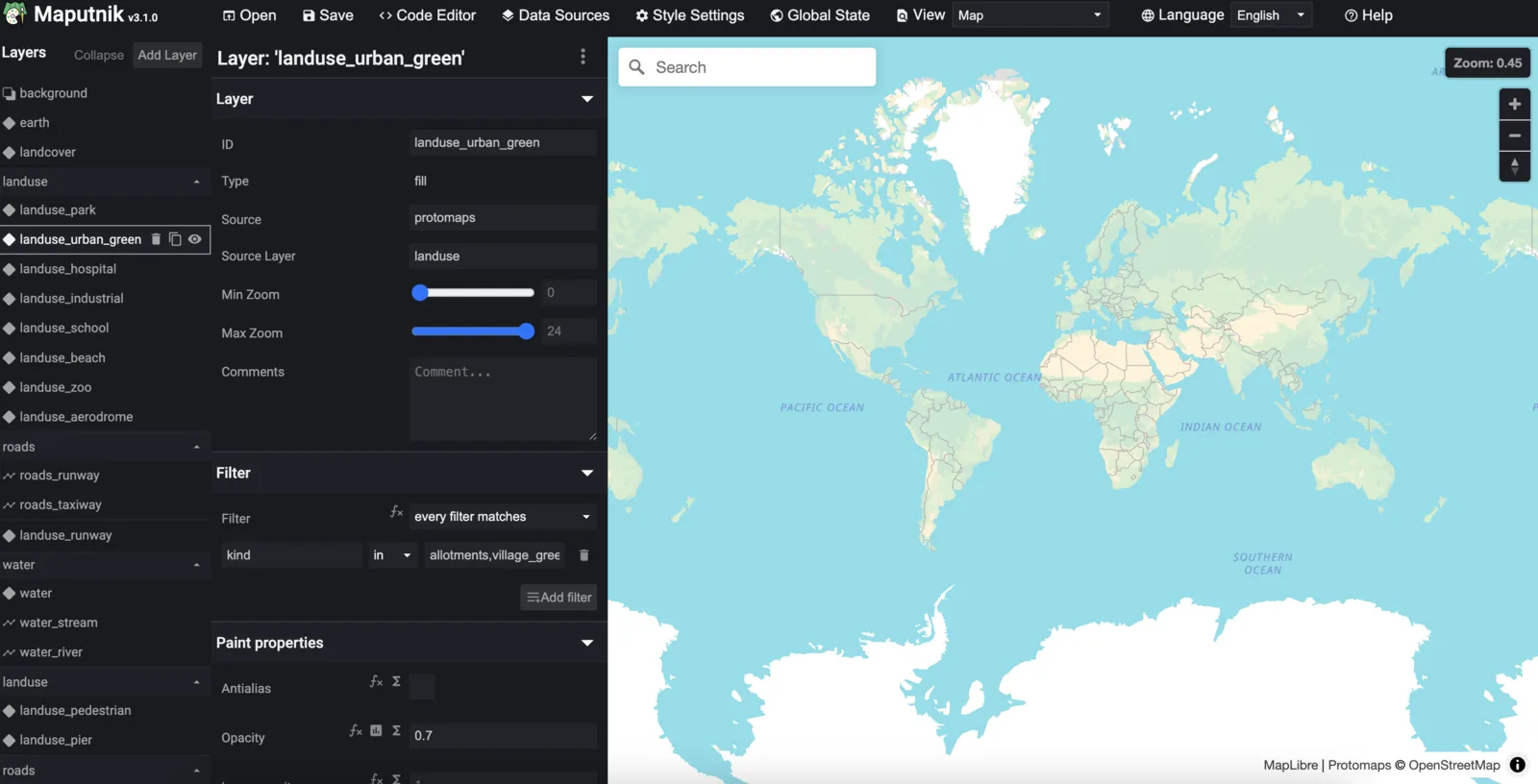
Maputnik style editor: layer property form on the left, map preview on the right
Maputnik. Visual editing, but every save rewrites one monolithic style.json.
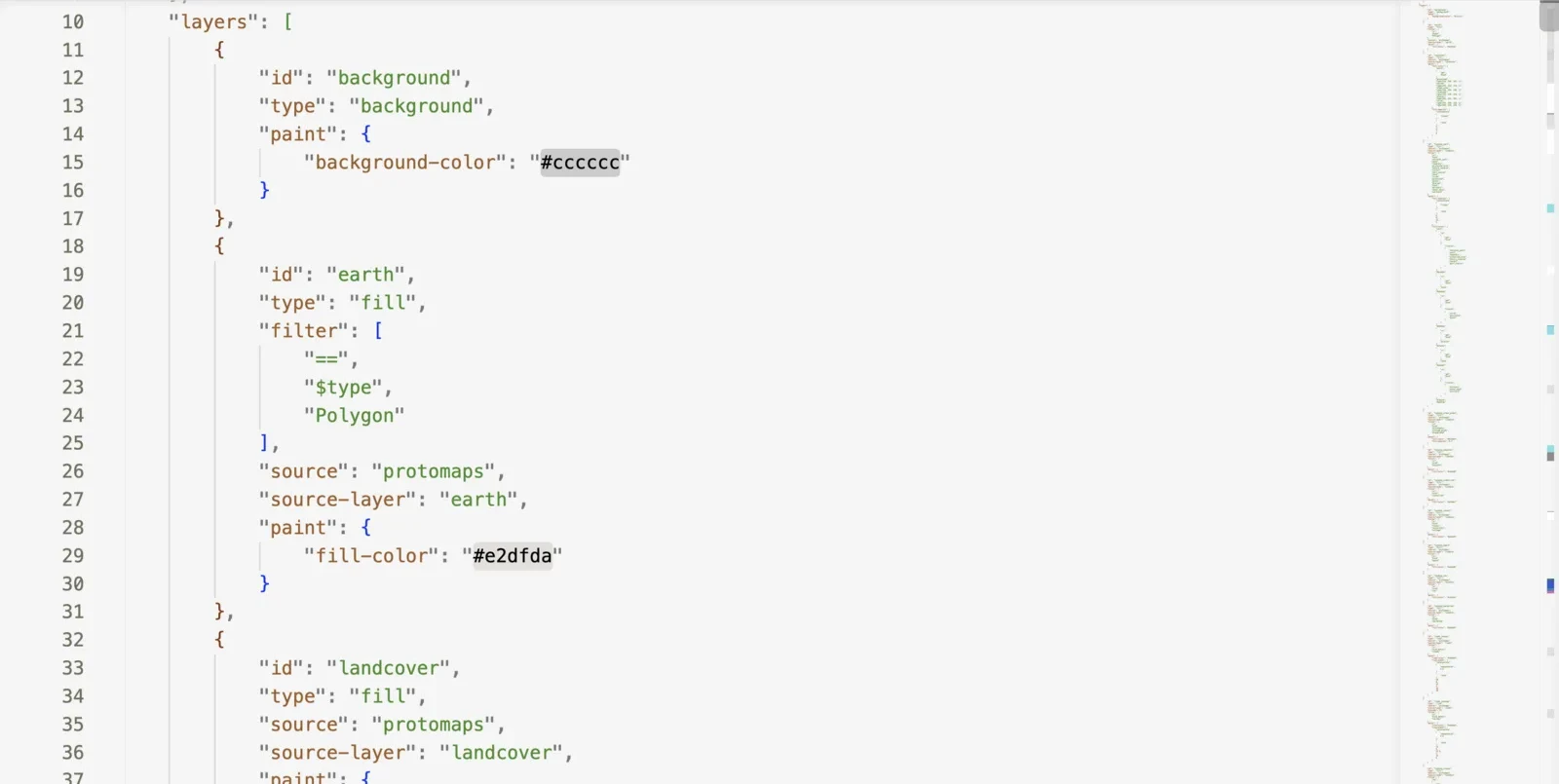
A style.json open in a code editor: the layers array, with background and earth layers expanded to show their paint colors, and a minimap showing how far the file scrolls on.
A code editor. Full control, but the spec lives in your head and nothing is visual until reload. If you reorder layers, the diffs are a mess.
What it is

One stylesheet or related stylesheets, managed together

Import one on its own, or import a family built from the same sources and work on them as a single project.

Import
Point at a style.json and see it rendered in the viewport.
Theme-pairing
Seed a theme from a sibling style on the same tile source; layers pair by id, order and source.
Variables
Every property value can be stored as a variable and shared within and across themes: colors and sizes, but also expressions, fonts and icons.
Decompose
One file per layer on disk, so an edit lands as a readable diff instead of churn inside one big document.
Export
One validated style.json per theme, plus a git-ready project file if desired.
Decompose

Edit properties easily

Darken the admin boundaries and see the change instantly; export to see the git diff.

In the app. Edit line-color on the boundaries layer. The preview updates as you type. Undo and redo back and forth through your edits, and export the log alongside them.
layers/boundaries.json
"paint": {
- "line-color": "#adadad",
+ "line-color": "#8f8f8f",
"line-width": 0.4,
"line-dasharray": [ "step", ["zoom"], ... ]
On disk. One file per layer, so even if you moved the layer too, the edit lands as a readable change instead of churn inside one big style.json.
A quick tour

What you get after the import

Every panel below is the same imported stylesheet.
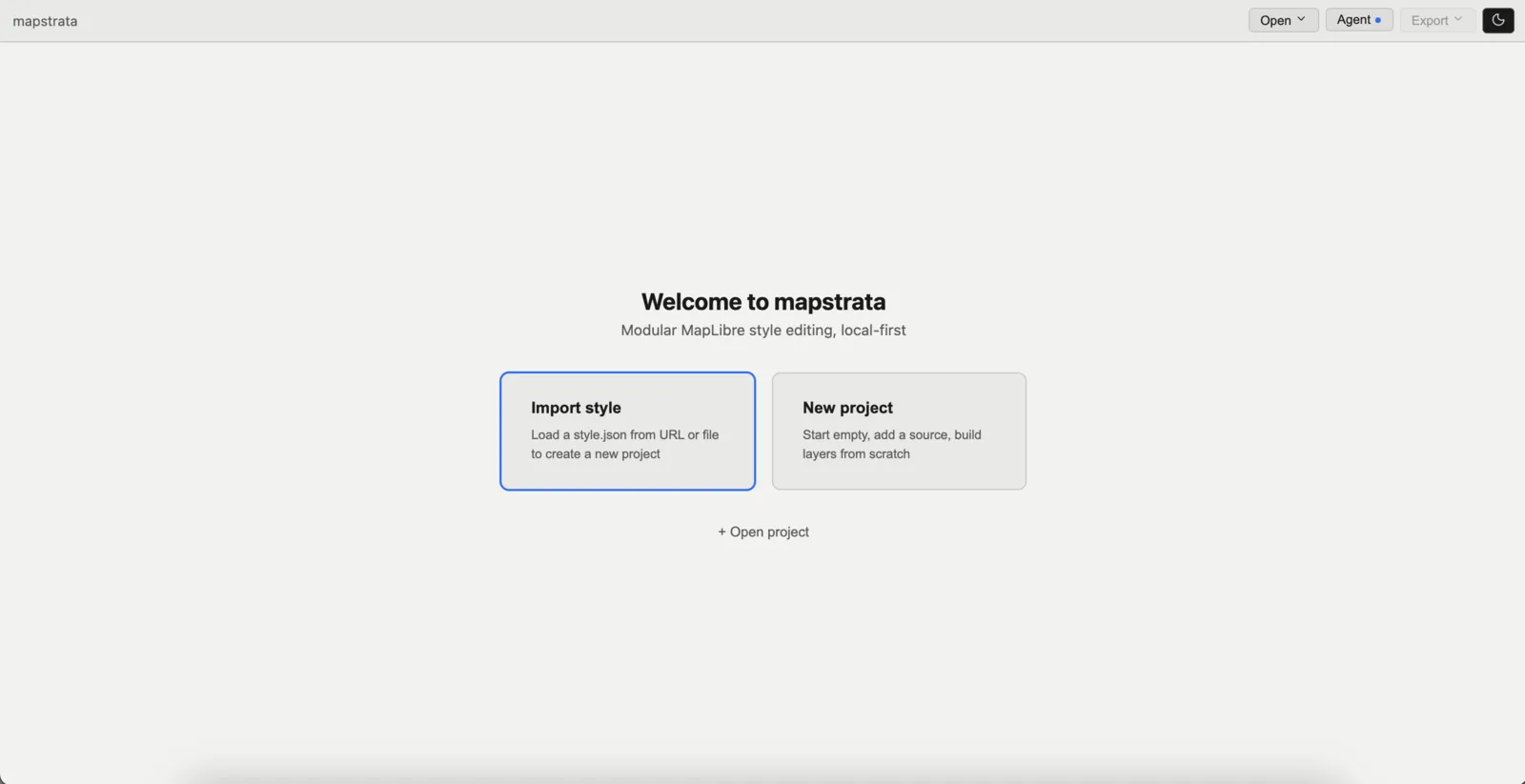
Mapstrata welcome screen with Import style and New project options
Welcome screen. Import a style.json, or start empty.
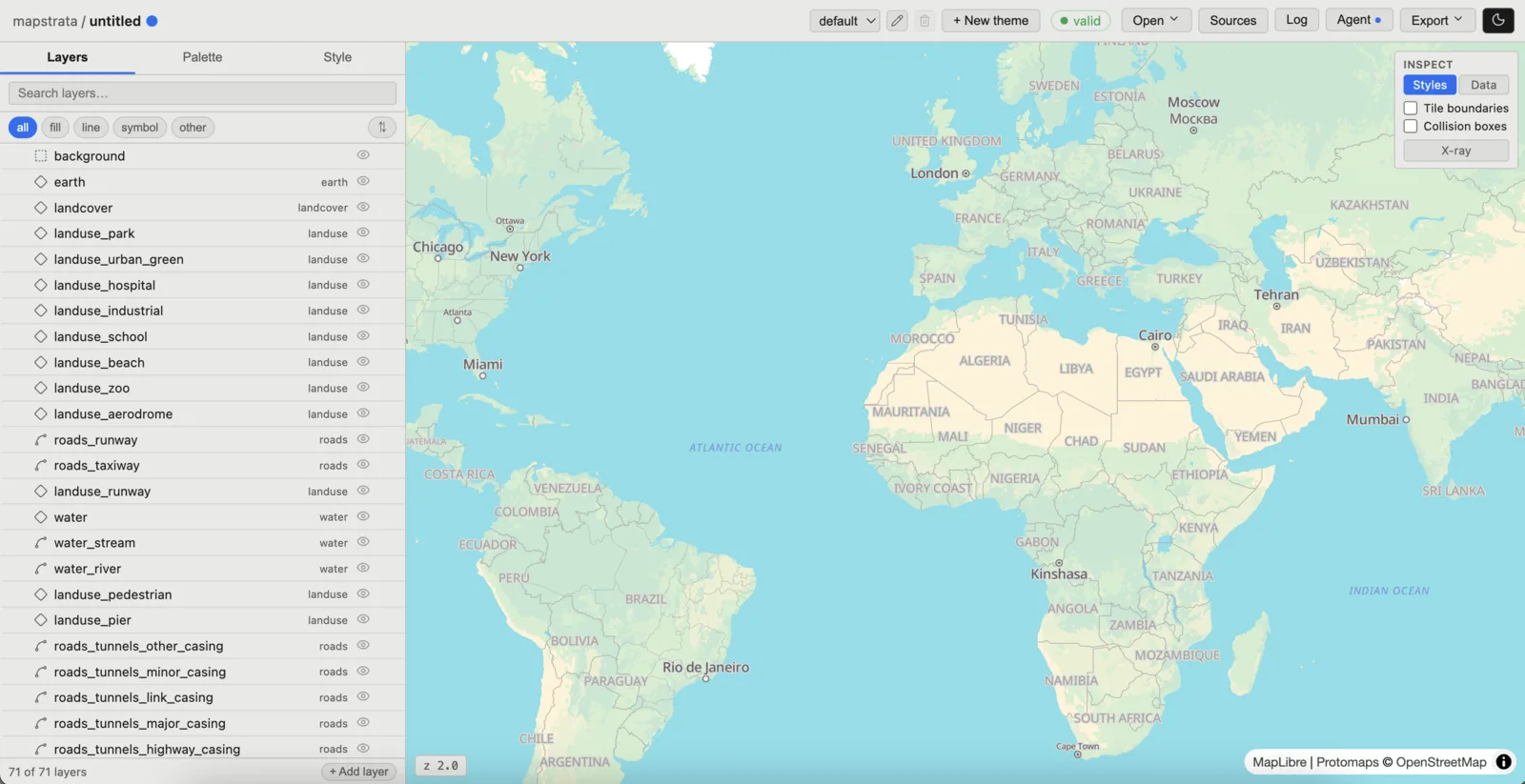
Layers tab listing all imported layers beside the live map preview
Layers tab. All layers listed in render order or alphabetically, tagged by geometry and source.
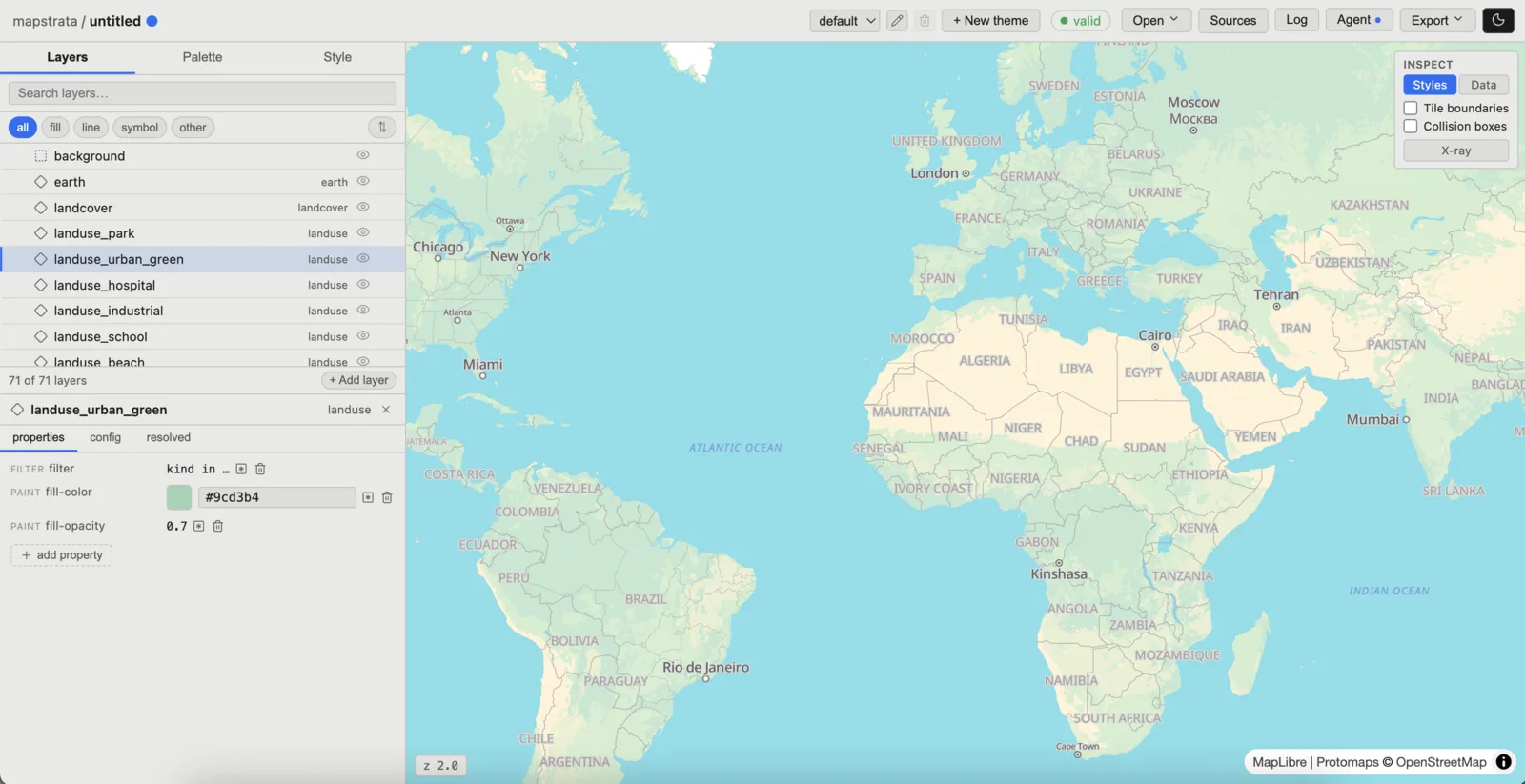
A single layer expanded, showing its filter and paint properties as form fields
One layer, expanded. The tabs show raw value, variable binding, computed result.
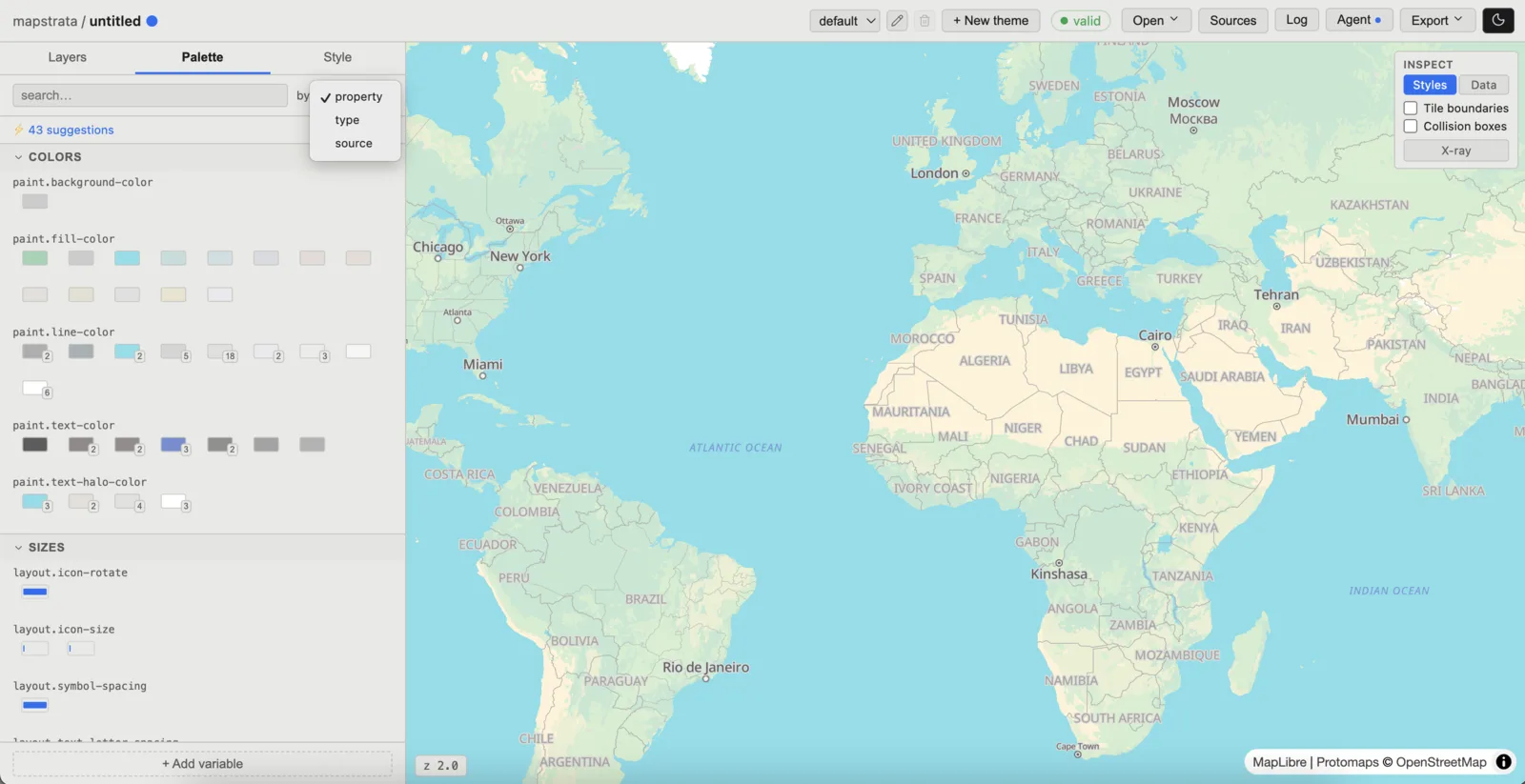
Palette tab grouping every value in the style, with per-value layer counts
Palette. Every value in the style, with the number of layers sharing each one. The suggestion queue proposes what to create.
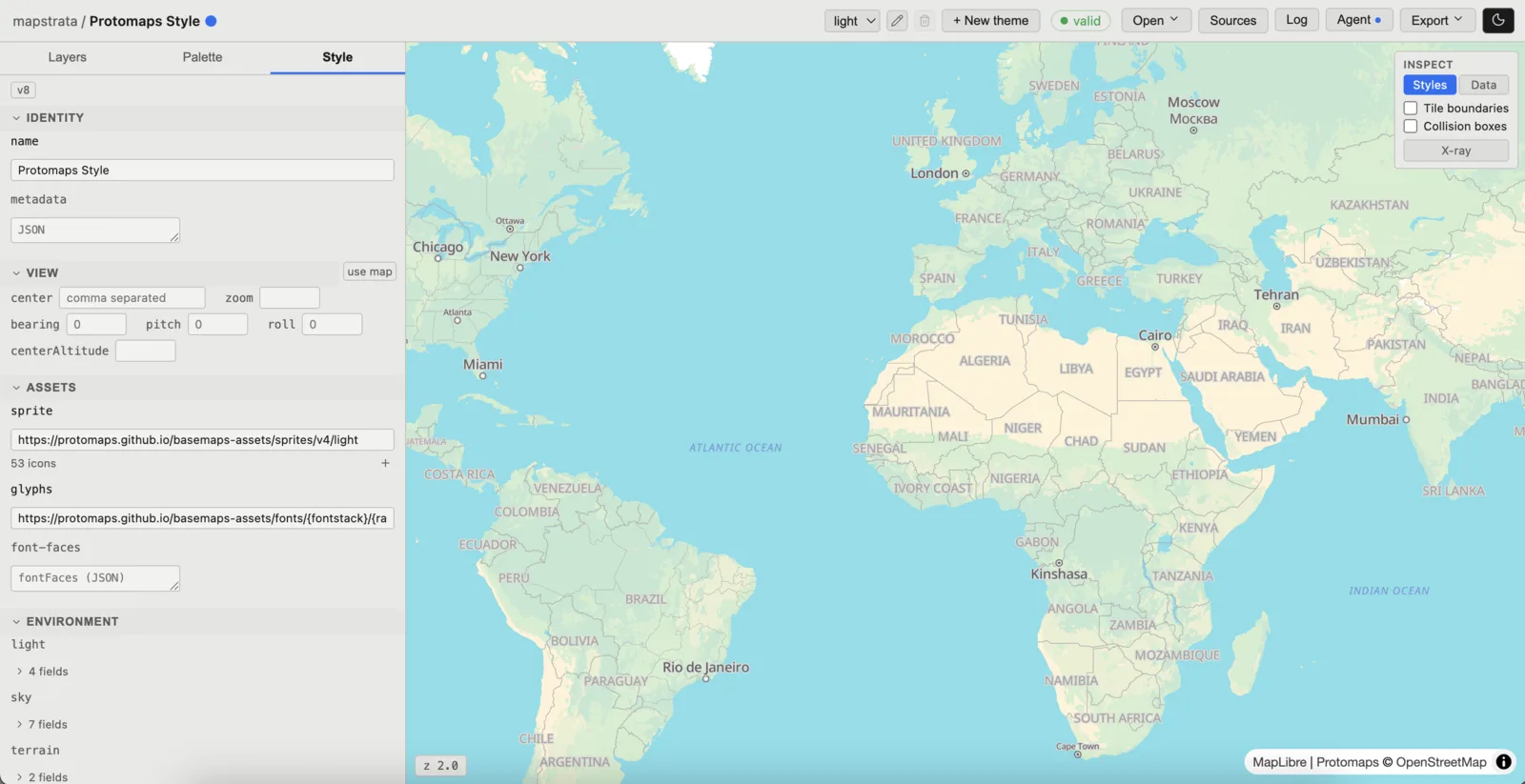
Style tab with identity, camera, sprite and glyph URLs, and environment blocks
Style tab. Everything that isn't a layer: metadata, camera, sprite and glyph URLs, environment.
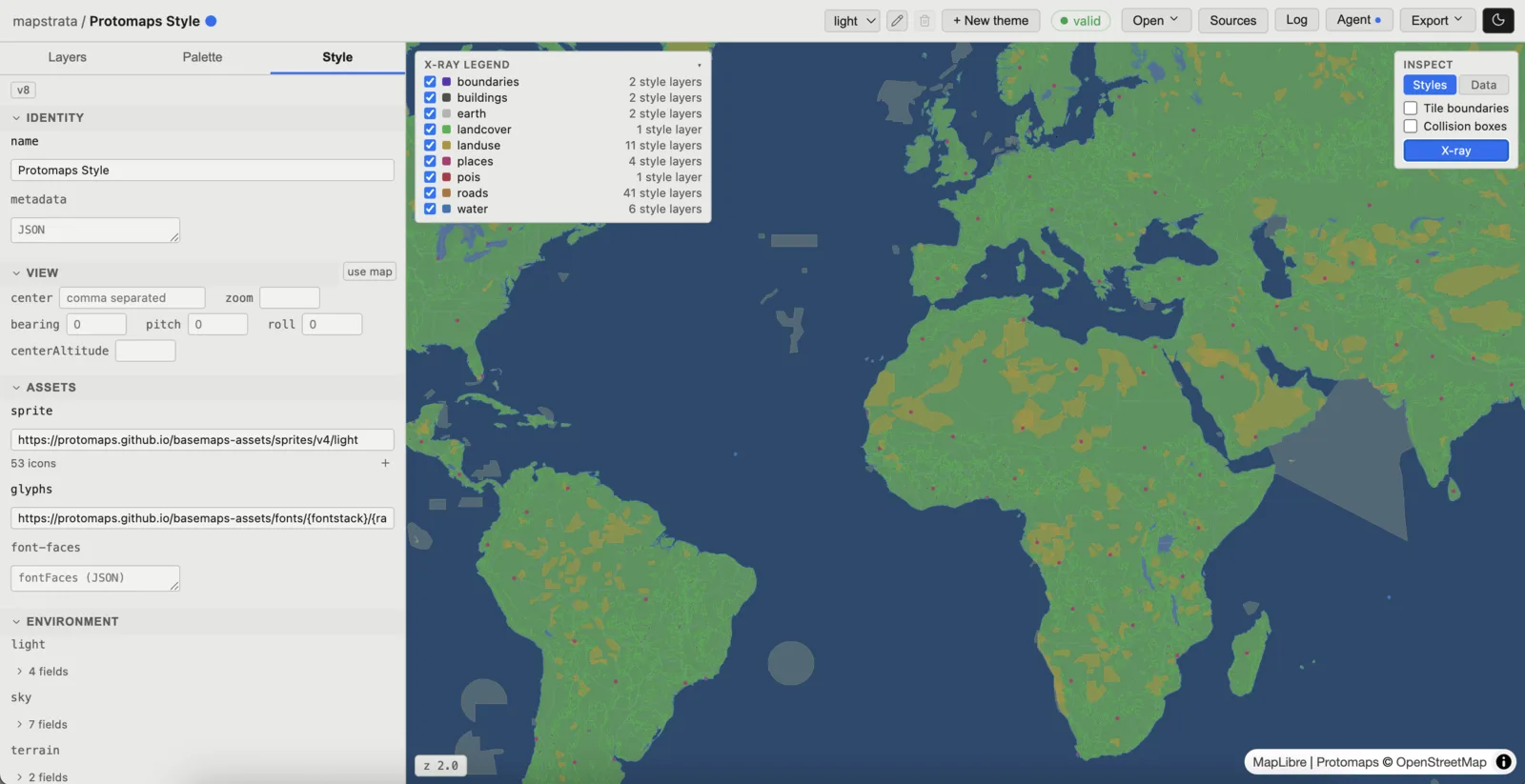
X-ray mode recoloring the map by source, with a legend counting style layers per source
X-ray mode. Turn tile layers on and off, and inspect unstyled features per source.
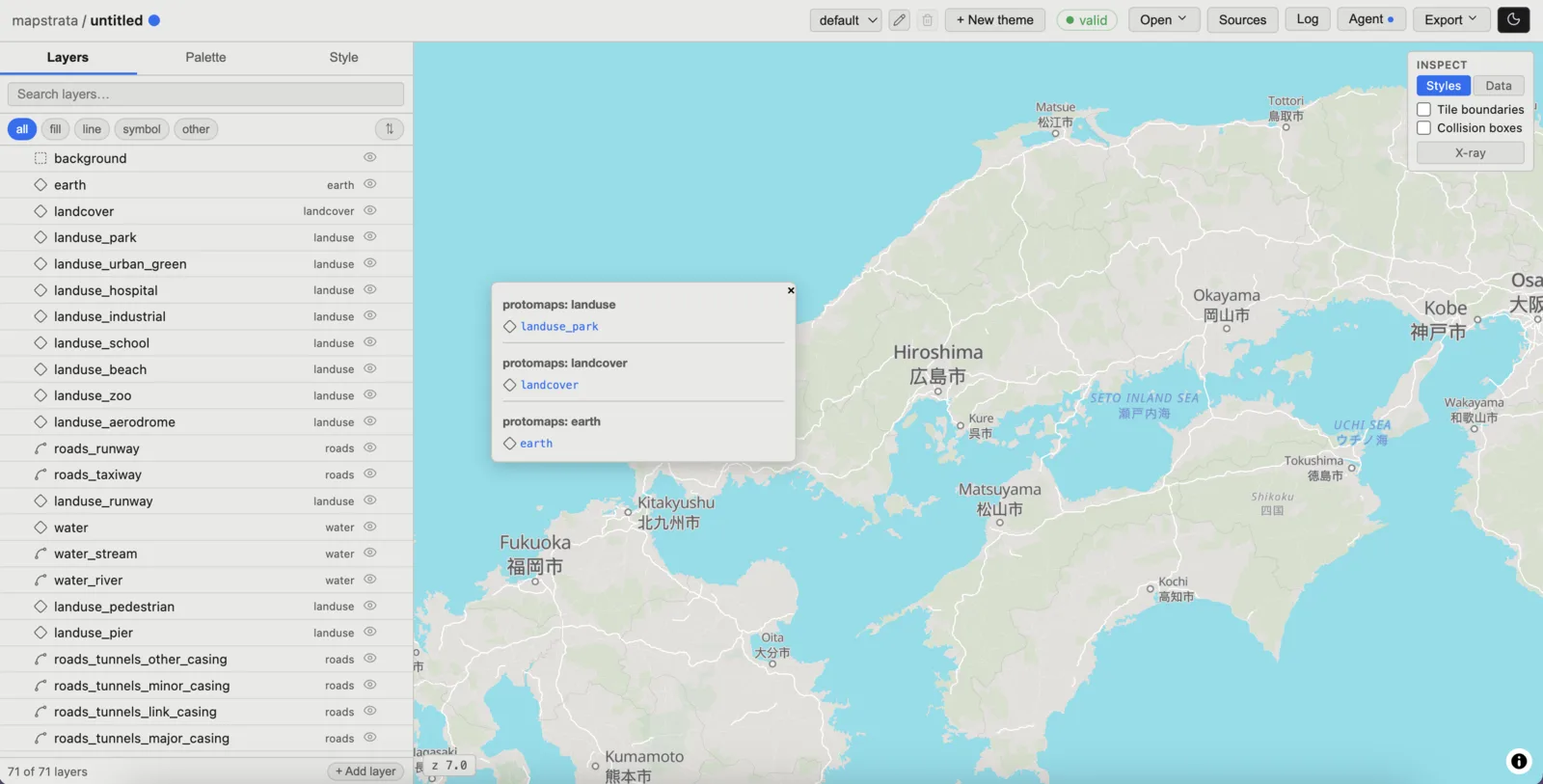
Map inspector popup on the Styles tab, listing the style layers drawing at the clicked point, grouped by source
Inspect: the styles. Every style layer drawing at the clicked point, grouped by source, in draw order.
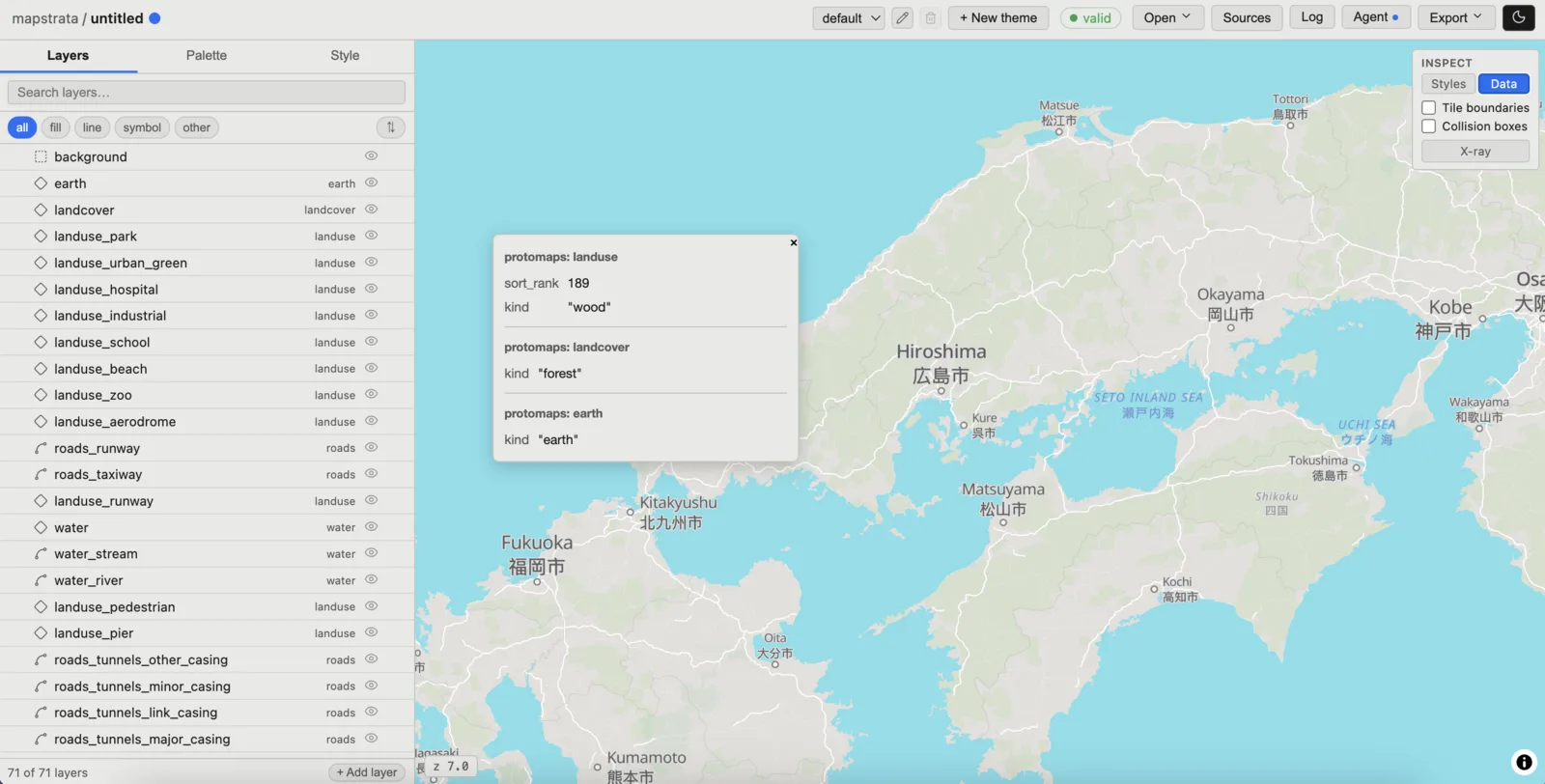
Same inspector popup switched to the Data tab, showing raw source-feature properties
Inspect: the data. The raw source-feature properties behind each layer, so you can see what a filter has to match.
Variables

The suggestion queue proposes; you decide

Mapstrata reads the imported style and proposes variables to create. Each proposal is filed under the heuristic that found it, and nothing is applied until you accept it.
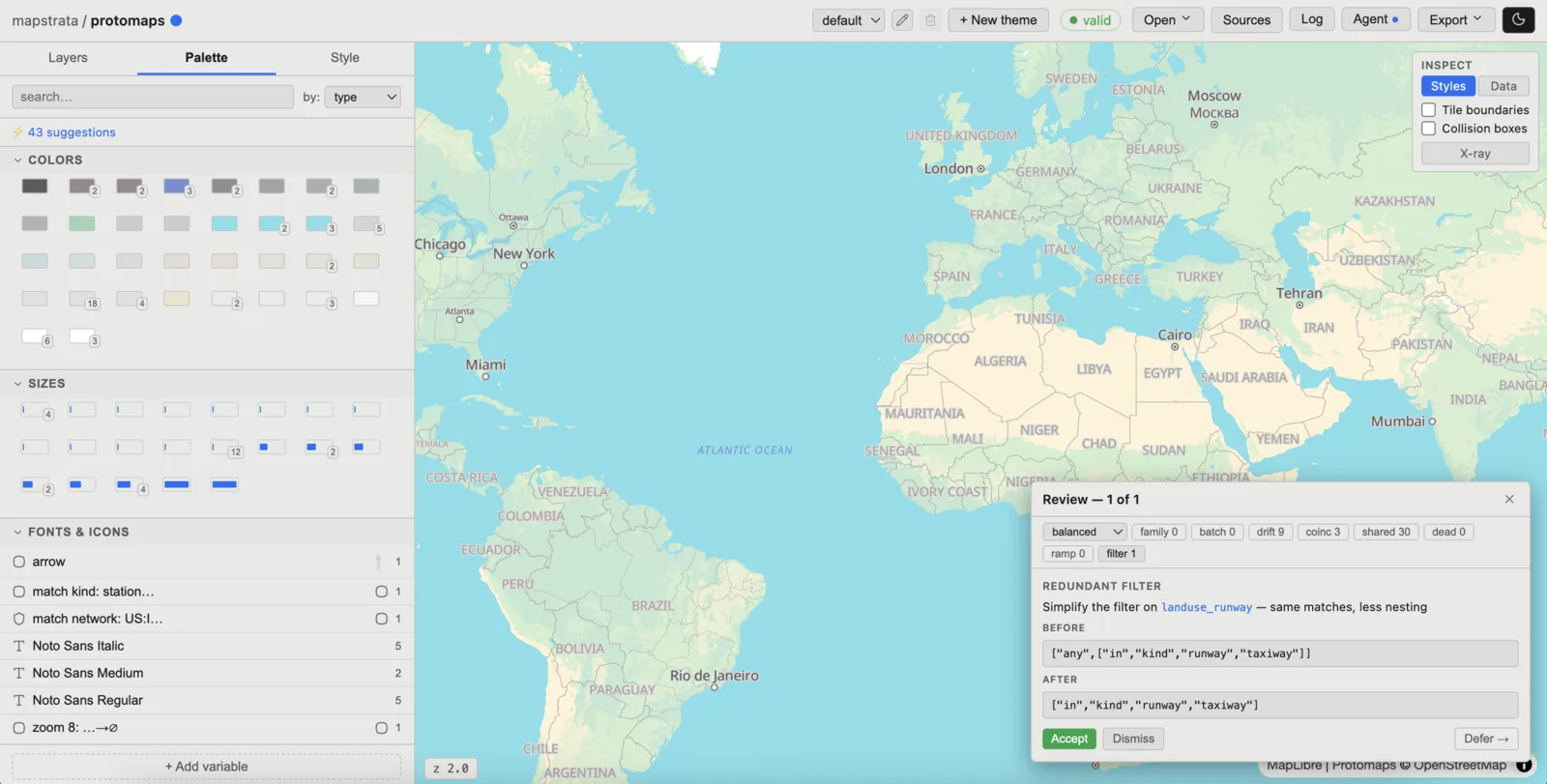
The Palette tab showing 43 suggestions, with the review dialog open over the map and the heuristics listed as counted chips
43 suggestions on Protomaps Light. The chips across the top are the heuristics, each with the number of proposals it found: family, batch, drift, coinc, shared, dead, ramp, filter. The dropdown sets how aggressive the proposals are. Accept the suggestion to simplify a filter or create a variable, Dismiss to ignore it, or Defer to come back to it later.
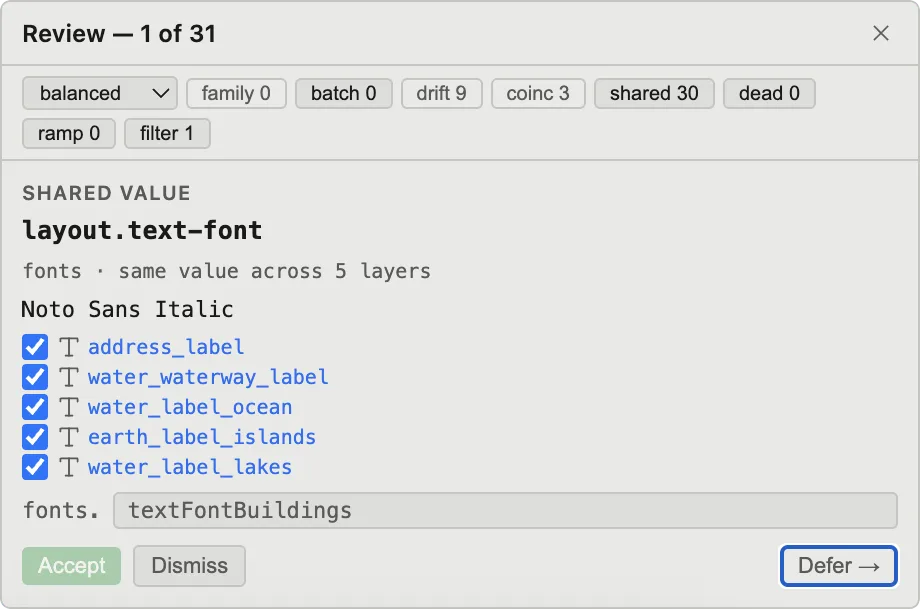
A shared-value proposal: layout.text-font set to Noto Sans Italic across five label layers, to be named textFontBuildings
Shared value. The plainest case: an identical value repeated across layers. Here layout.text-font is Noto Sans Italic on three water label layers, an island label layer and address labels. Create a variable for just the water labels, or for every layer that uses it.
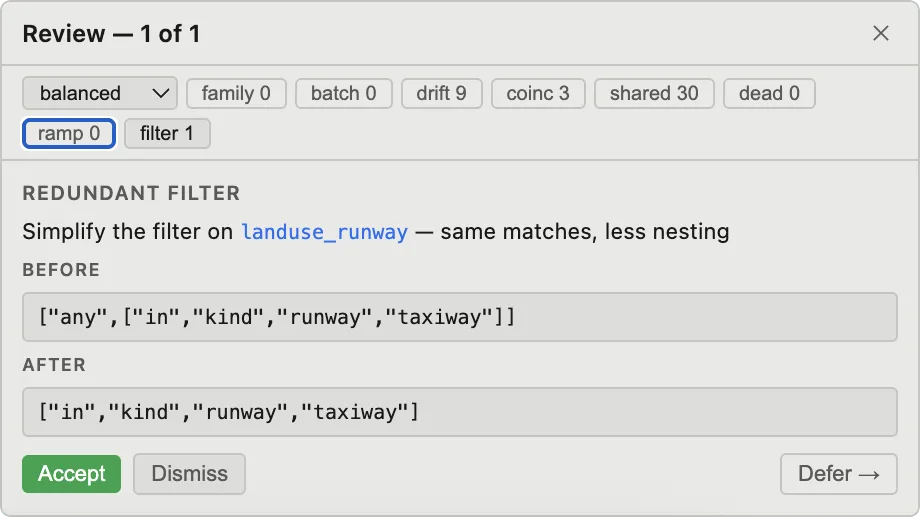
A redundant-filter proposal simplifying a nested any/in filter on landuse_runway to a plain in filter
Redundant filter. Not every proposal is a variable. This one unwraps a needless any around a single in on landuse_runway.
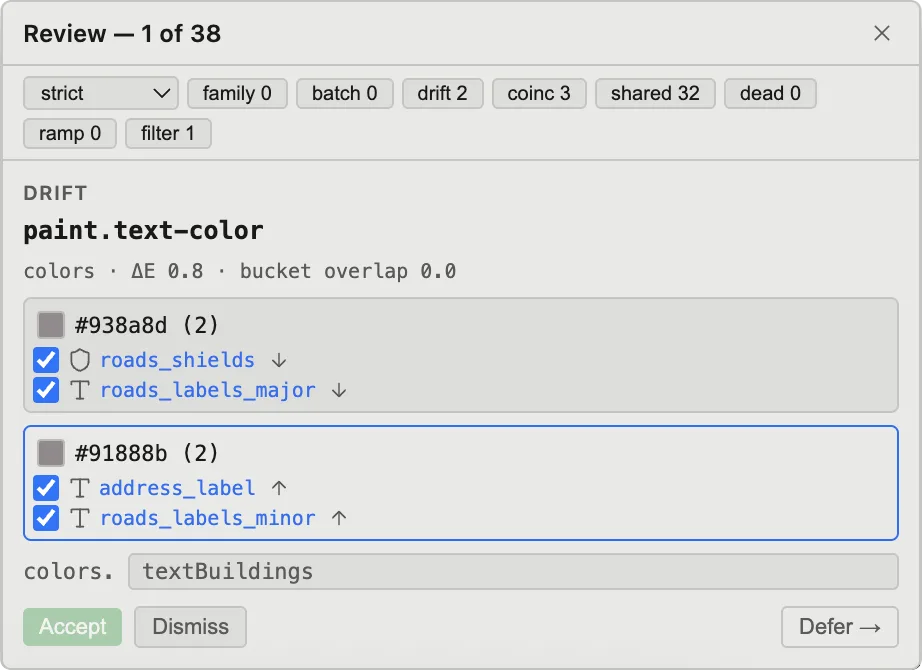
A drift proposal: near-identical greys #938a8d on two label layers and #91888b on two others, measured at delta-E 0.8, to be merged into one variable named textBuildings
Drift catches color values that are close enough to be visually indistinguishable. The ΔE value is a color perception metric used to define what counts as drift. These two sit 0.8 apart, and anything under 1 is imperceptible to the human eye. Create separate variables for#938a8d, used on two road label layers, and #91888b on two more, or merge them into one.
Themes

Theme-pairing

Point at a sibling style on the same tile source. Protomaps Dark as seed.
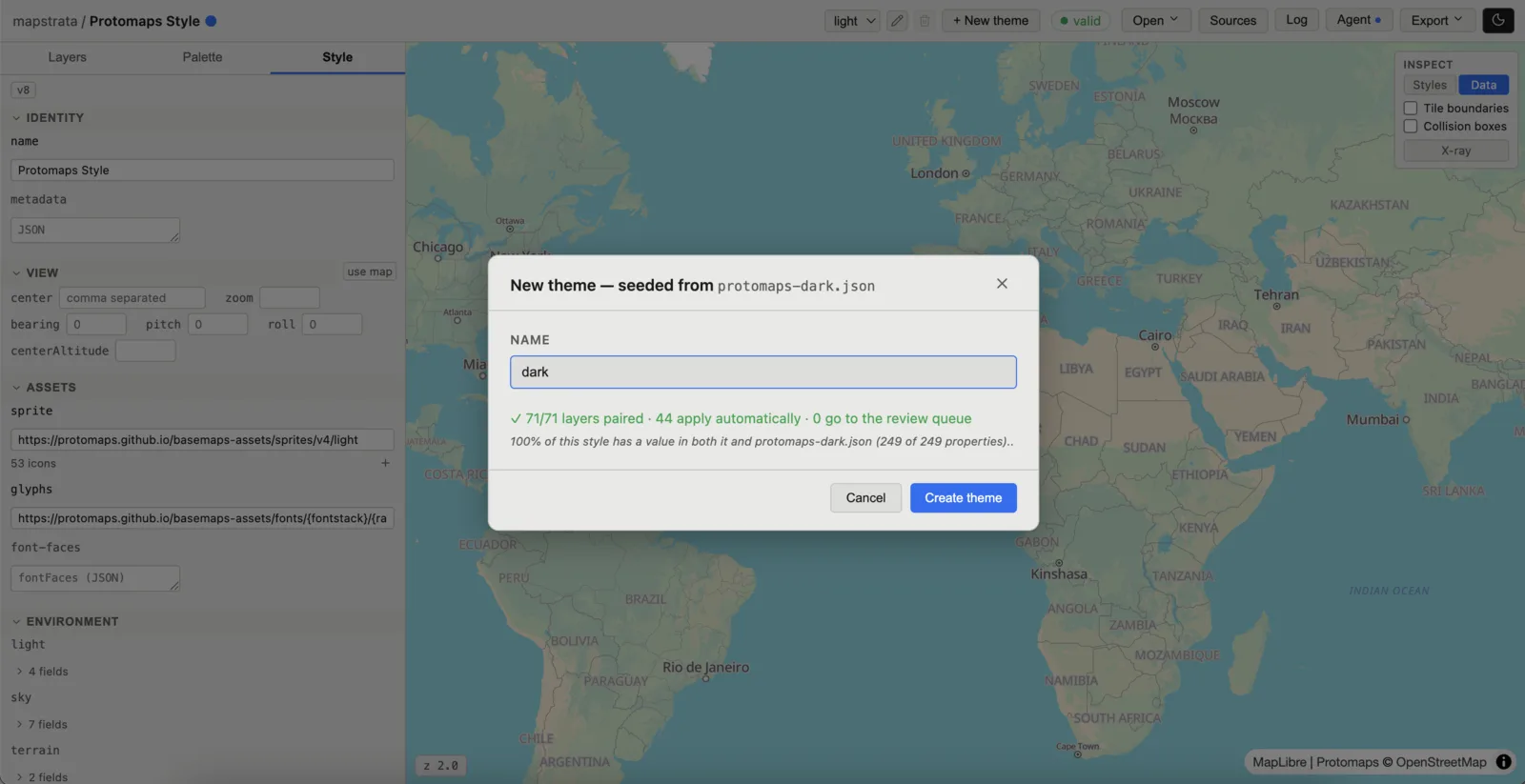
New theme dialog seeded from protomaps-dark.json, reporting 71 of 71 layers paired and nothing sent to the review queue
  • Layers pair mechanically: same ids, same order, same source.
  • There are built-in heuristics for when it isn't this clean.
3 → 7
Dark paints one light color five ways, so three names split into seven.

Scope structure to a theme, not just values

Associate sources and layers with a specific theme.
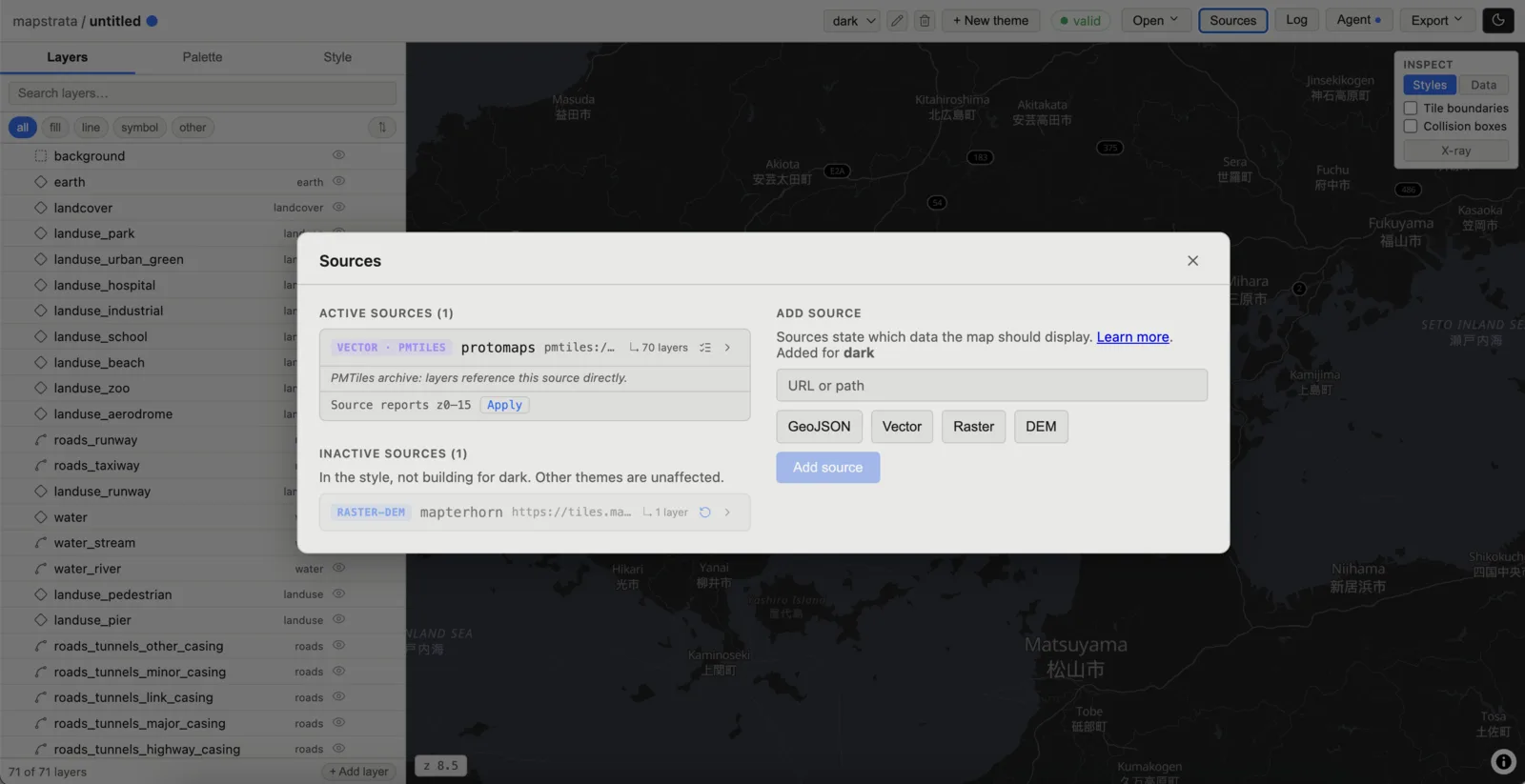
Sources dialog viewed from the dark theme: the raster-dem source is listed as inactive, in the style but not building for dark

Same project, dark selected.The DEM is in the style but isn't part of this theme. Adding it here is a decision.

Adding to a style

Add a hillshade

A raster-dem source and a hillshade built on it.

Adding the DEM. Paste the URL, pick DEMif it isn't auto-detected. Add a hillshade layer, set the layer order, and tune the style.
Who's building this

One person, part time, over a summer.

  • 15+ years building web maps
  • MapLibre governing board
  • Teaching Cartography, University of Washington
The complaints I opened with aren't research findings. They're my own experience.
Funding

Want to fund the work?

So far this is a self-funded, part-time project. If that's something you could support, I'd love to hear from you. Funding helps me prioritize and ship faster.

Check the funding box in the form below and I'll follow up.

One ask

Tell me why you're here.

I'm looking for projects that will put Mapstrata through its paces on real stylesheets.

If you just want to know when the source code is public, say so below. If you have more to offer, tell me that too.

What brings you here? (pick any)
→ one email when the repo opens. Anything more only if you ask for it.